
 USD
USD  USD
USD  GBP
GBP  EUR
EUR  INR
INR  ZAR
ZAR  AUD
AUD  CAD
CAD  MYR
MYR  SGD
SGD  THB
THB  HKD
HKD  BRL
BRL  AED
AED 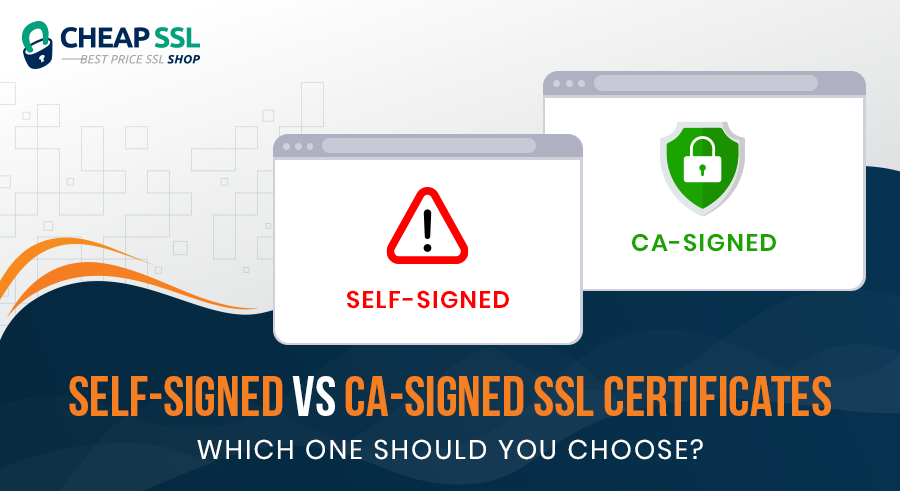
HTTPS protects data in transit with SSL/TLS encryption and also meets browser security guidelines. Major browsers now flag websites served over plain HTTP as “Not Secure.” Chrome’s upcoming updates push this even further by adopting an HTTPS-by-default model, where insecure HTTP pages trigger stronger warnings and may become increasingly difficult for users to load.
This makes the choice of SSL certificate essential. But enabling HTTPS isn’t only about encryption; it also depends on how the certificate is issued. Is your website using a certificate generated by a trusted Certificate Authority (CA) or a self-signed certificate created locally?
This article provides you with everything you need to know about the difference between a self-signed certificate and a CA-issued certificate.
What is a Self-Signed Certificate?
A self-signed certificate is a digitally signed certificate that is signed and issued to the same entity, whose identity it certifies. It is used by development teams for different tasks, like development purposes, staging, or even updating Flow.
How is it generated?
A self-signed certificate is created by generating a private key and then using that same key to sign the certificate itself. In practice, the site owner (or developer) first creates a private key with the help of online tool. That key is then used to produce the certificate directly, without sending a request to any Certificate Authority. Because the certificate is signed with the owner’s own key, it is considered “self-signed.”
Key Characteristics
The core functions are identical for CA-signing and self-signing certificates. They offer the same encryption; however, there is no trust validation for a self-signed certificate. This may cause mistakes and browser messages, such as “Connection not secure” or NET::ERR_CERT_COMMON_NAME_INVALID.
There are, however, two points to note: such certificates are typically for development or internal network purposes, and as such do not require a great deal of validation.
What is a CA‑Signed Certificate?
A CA-Signed Certificate is basically a digital certificate issued by a trusted Certificate Authority. The CA acts as a neutral and trusted organization that will check all your facts, organizational details, and then sign a certificate with its own private key.
Certificate Authorities are authenticated and recognized by browsers. So, whenever a user visits your site, the browser verifies the SSL/TLS certificate issued by the CA and confirms the connection is secure. Your users can trust your site because it is signed by a CA.
How Certificate Authorities Validate Domains
Certificate authority is a trusted third-party entity that will validate your business details, and provide specific indicators to the users so that they can trust your site. The key visual indicator in the browser address bar signals to users that the connection is secure, and it’s safe to proceed to your site.
For a domain validation certificate, it is easy. The certificate authority will simply determine whether the domain ownership is with you or not.
For a typical domain‑validated SSL certificate, the workflow looks like this:
- You generate a key pair and CSR on your server.
- You send the CSR to the CA.
- The CA runs domain validation checks.
- If validation passes, the CA issues the SSL certificate.
- CA signs it with its own trusted root or intermediate certificate.
For organization‑validated (OV) and extended‑validation (EV) certificates, the process includes extra checks around company details and legal existence.
Different Types of Trusted CA-Issued SSL Certificates
| Type | Purpose | Pricing |
|---|---|---|
| Domain Validation (DV) SSL Certificate | Basic HTTPS security for personal, small business, or non-transactional sites | Starts from $3.99/yr |
| Organization Validation (OV) SSL Certificate | Business websites needing verified identity | Starts from $25.00/yr |
| Extended Validation (EV) SSL Certificate | High-assurance sites requiring strong business vetting | Starts from $50.00/yr |
| Wildcard SSL Certificate | Secures a domain + unlimited first-level subdomains | Starts from $29.00/yr |
| Multi-Domain (SAN) SSL Certificate | Secures multiple domains under one certificate | Starts from $15.00/yr |
Key Characteristics
CA-signed certificates offer higher trust for the brands. Especially if you consider modern browsers and operating systems, their strict security requirements require a trustworthy option like CA-signed certificates.
What does this mean for your brand?
- No browser warnings or SSL certificate errors.
- A secure HTTPS indicator in the address bar.
- Additional business information available to users for OV and EV certificates.
Core Differences Between Self‑Signed and CA‑Signed Certificates
Self‑signed and CA‑signed SSL certificates use the same underlying cryptography to protect data in transit. The real difference lies in who vouches for the certificate and how browsers treat it.
Here is a table of the differences between the two.
| Criteria | Self-Signed Certificate | CA-Signed Certificate |
|---|---|---|
| Who Signs the Certificate | Signed by the certificate owner | Signed by a trusted Certificate Authority |
| Trust Level | Not trusted by browsers or clients | Automatically trusted by browsers and operating systems |
| Browser Behavior | Shows security warnings | Loads normally with no warnings |
| Validation Performed | No external validation; the owner verifies certificate | CA performs domain or organization validation before issuance |
| Identity Assurance | None | Provides encryption + verified identity |
| Encryption Strength | Same as CA-signed certificates | Supports standard encryption |
| Exposure to MITM Attacks | Higher risk if distributed incorrectly or intercepted | Lower risk due to CA validation and trust anchors |
| Operational Management | Requires manual distribution and trust configuration | Simple deployment; trusted by default |
| Compliance Compatibility | Not compliant with industry standards | Meets compliance requirements for publicly trusted TLS |
| User Experience Impact | Visitors encounter warnings | Smooth, trusted user experience with no interruptions |
Security Implications You Must Consider & Use Cases
Here are some of the key security implications you need to consider while choosing between self-signed certificates and CA-signed certificates.
For Self‑Signed Certificates
In the case of a self-signed certificate, you also have encrypted traffic. When the private key is kept in secret, the network attackers are not able to intercept the data that is passing between the server and the client easily. This may suffice with internal tools or development servers.
The security trade‑off shows up in identity and user experience:
- Browsers cannot verify the certificate against a trusted CA.
- There is no independent identity check leading to phishing attacks
- Automation and API clients require extra setup
For CA‑Signed Certificates
Signing with CA offers an extra level of trust over encryption. When a user connects, it is verified by the browser that the certificate chains to a CA certificate that the browser already trusts. From a security and compliance perspective, CA‑signed certificates provide clear benefits:
- Strong identity assurance tied to the domain, and for OV/EV, to the organization behind it.
- Compatibility with browsers, mobile apps, and API clients out of the box, with no need to install custom trust roots.
How to Decide Which Option is Right for Your Website
A self-signed or a CA-signed certificate can usually be determined by posing a few direct questions.
Is the location external or internal?
A CA-signing SSL certificate is the correct option if it is available on the public internet. A self-signed certificate or an internally issued CA certificate can be suitable in a small (local) development environment, in a lab system, or a private admin tool on a VPN.
Are users dependent on the use of trust?
When customers, partners, or employees use the site to get into personal data or make payments, they will anticipate the padlock icon, a clean HTTPS connection, and no warnings. In such a scenario, a certificate that has been signed by a trusted authority is the secure way to go.
Are there compliance or regulatory requirements?
The numerous standards and regulations expressly state that such certificates are required by a known CA or prohibit the use of self-signed certificates. In case your organization implements PCI DSS, HIPAA, or some other frameworks, you are expected to believe that CA-signed certificates are required in live systems.
Conclusion
Both self‑signed and CA‑signed SSL certificates can encrypt traffic, but encryption alone is not enough for most websites. The crucial difference is trust: a CA‑signed certificate comes with a chain of validation that browsers and users recognize, while a self‑signed certificate relies on you to manage trust manually.
Self‑signed certificates have a place in development setups, internal labs, and tightly controlled networks. For public sites, customer portals, and any application that handles sensitive data on the open internet, CA‑signed certificates are the standard. Choosing a CA‑signed certificate from a trusted authority is the only sensible decision for any brand.
Encrypting your website traffic is important, but trust matters even more. A CA-signed SSL certificate gives your website verified identity, zero browser warnings, and full compliance with modern security standards. Protect your brand and users with a certificate recognized by all major browsers.
Related Posts:
- How Much Does an SSL Certificate Cost?
- 10 Cost-Saving Tips to Buy SSL Certificates at the Best Price
- HTTP vs HTTPS: Key Differences & Security Standards Explained
- SSL Certificate Problem: Self-Signed Certificate in Certificate Chain – How to Fix It
- What Is Data Encryption? A 2026 Guide to Data Security