

 USD
USD  USD
USD  GBP
GBP  EUR
EUR  INR
INR  ZAR
ZAR  AUD
AUD  CAD
CAD  MYR
MYR  SGD
SGD  THB
THB  HKD
HKD  BRL
BRL  AED
AED 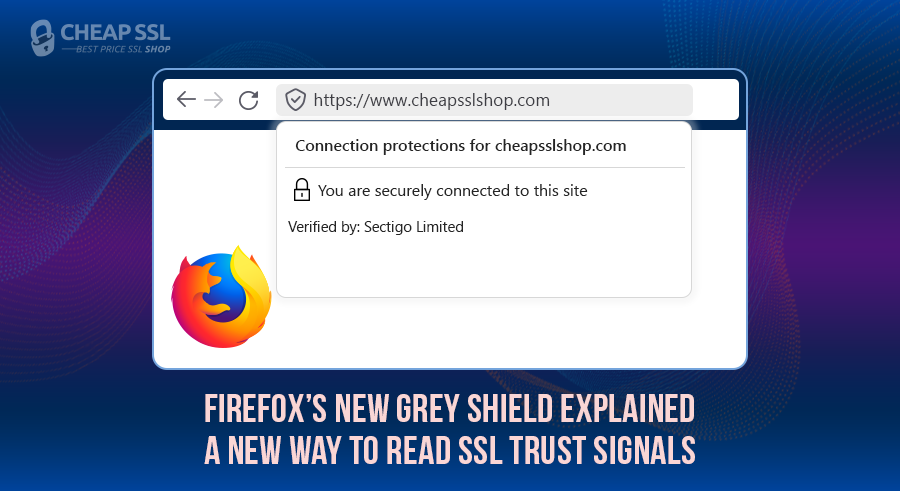
Firefox has replaced its address bar security indicator with a new Unified Trust Panel icon: a grey shield; and it is already live for all Firefox users. This change not just reflects SSL encryption, but also Firefox’s Enhanced Tracking Protection status for every site you visit. Let’s break down exactly what it means, how each shield state works, and what it means for your website’s SSL setup.
What Has Changed in Firefox’s Grey Shield Security UI
Firefox now uses a unified grey shield icon in the address bar as its primary trust indicator. What makes this different from before is that the shield doesn’t report a single condition, it reads multiple security signals at once and changes its appearance based on the combined state of the page you’re on.
The shield renders in three distinct states. Each state it displays carries a specific meaning:
- Check mark on the shield
 — connection is encrypted, the certificate chain is trusted, and Enhanced Tracking Protection is active.
 - X mark on the shield
 — tracking protection has been turned off for that site; the connection may still be encrypted.
 - Red strike on the shield
 — the site is on plain HTTP with no encryption, or the certificate is self-signed or issued by an authority Firefox doesn’t recognize.
The X-mark state is where things get easily misread. A site running a perfectly valid SSL certificate from a recognized CA still displays the X-mark shield the moment Enhanced Tracking Protection is disabled for that domain. It looks degraded. The certificate itself is fine. That ambiguity is now part of how Firefox communicates trust to your visitors.
How SSL Information Is Now Presented
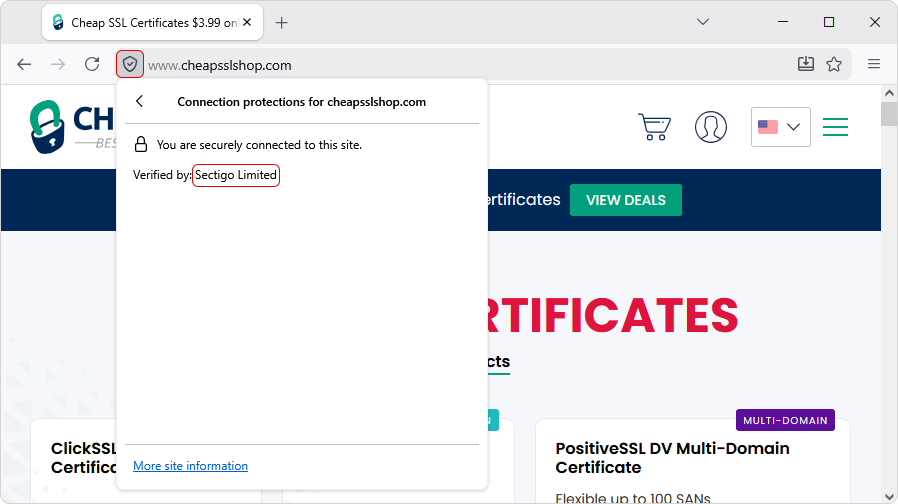
SSL certificate details are no longer immediately visible at a glance. To see who issued a certificate, users click the shield, then select “Connection secure” from the panel that opens. Firefox then displays the Connection Protections panel, which shows the issuing Certificate Authority by name — listed as “Verified by: [CA Name].”
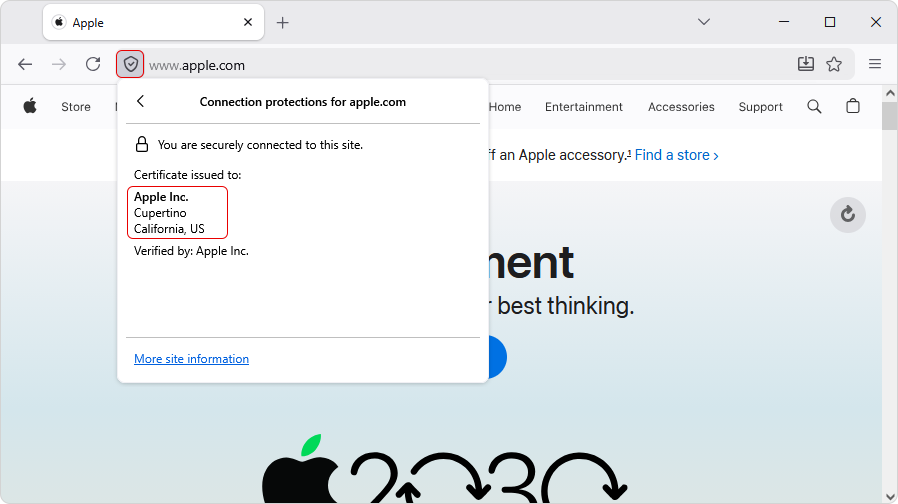
For sites running EV certificates, the Connection panel also displays the legal company or organization name and location of the website owner.
This is a direct change in what any Firefox visitor can access just by clicking the shield.
Impact on Users and Website Owners
For users, the red-strike shield is the one that demands immediate attention. Firefox is clear on this: never send passwords, payment details, or personal information to any site showing a red-strike shield. It means the connection is either unencrypted or the certificate cannot be trusted.
For website owners, nothing changes at the server or certificate configuration level. A valid SSL certificate from a recognized Certificate Authority produces the check-mark shield for your visitors. That part is straightforward.
What is less straightforward is what the shield now exposes. Every Firefox visitor can see the name of the CA that issued your certificate in two clicks. A certificate from a trusted, recognized CA displays that information cleanly. A self-signed certificate or one from an unrecognized source triggers the red-strike shield and makes that fact visible to anyone who looks.
Conclusion
Firefox has moved from a single-purpose encryption indicator to a composite trust signal that reflects encryption state, certificate authority trust, and privacy protection status together. The underlying TLS infrastructure hasn’t changed. What changed is the surface where those signals land and how much information a regular user can now pull from it without any technical knowledge.
For website operators, the practical takeaway is straightforward: certificate issuer identity is no longer buried. It’s a user-facing data point, accessible by anyone who clicks the shield.
Your SSL Trust Signals Are Now Visible
Firefox’s grey shield now highlights certificate trust and issuer details directly in the browser. Ensure your SSL is recognized and trusted when users evaluate your site.
Related Post